Emphasized

for Safari

Highlight text on the web!

Whether you're cramming for a test, diving deep into research, or just collecting great quotes, this highlighter's got your back.

Highlight text on any webpage. Everything's saved automatically on your device and neatly grouped by page, so you can always pick up where you left off. Export into a clean PDF when you're ready to share or review.

How does it work?

Features

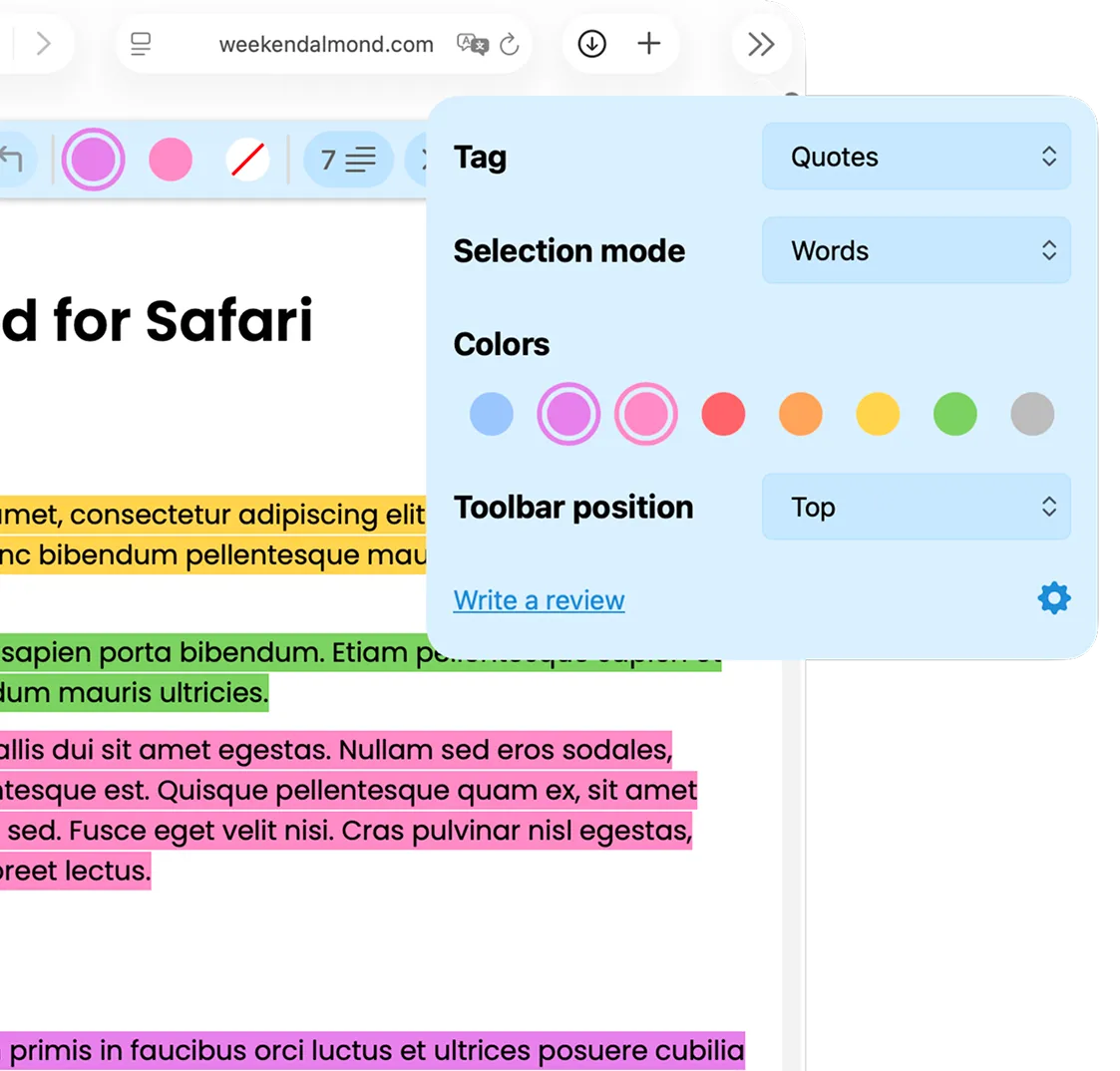
Customizable Highlighting Options

Customizable Highlighting Options

Choose how you highlight and make it your own:

  • Characters - Select exactly the letters you want.
  • Words - Quickly grab entire words.
  • None - Disable selection when it's not needed.

Plus, pick your preferred highlight color to keep your notes organized and visually clear.
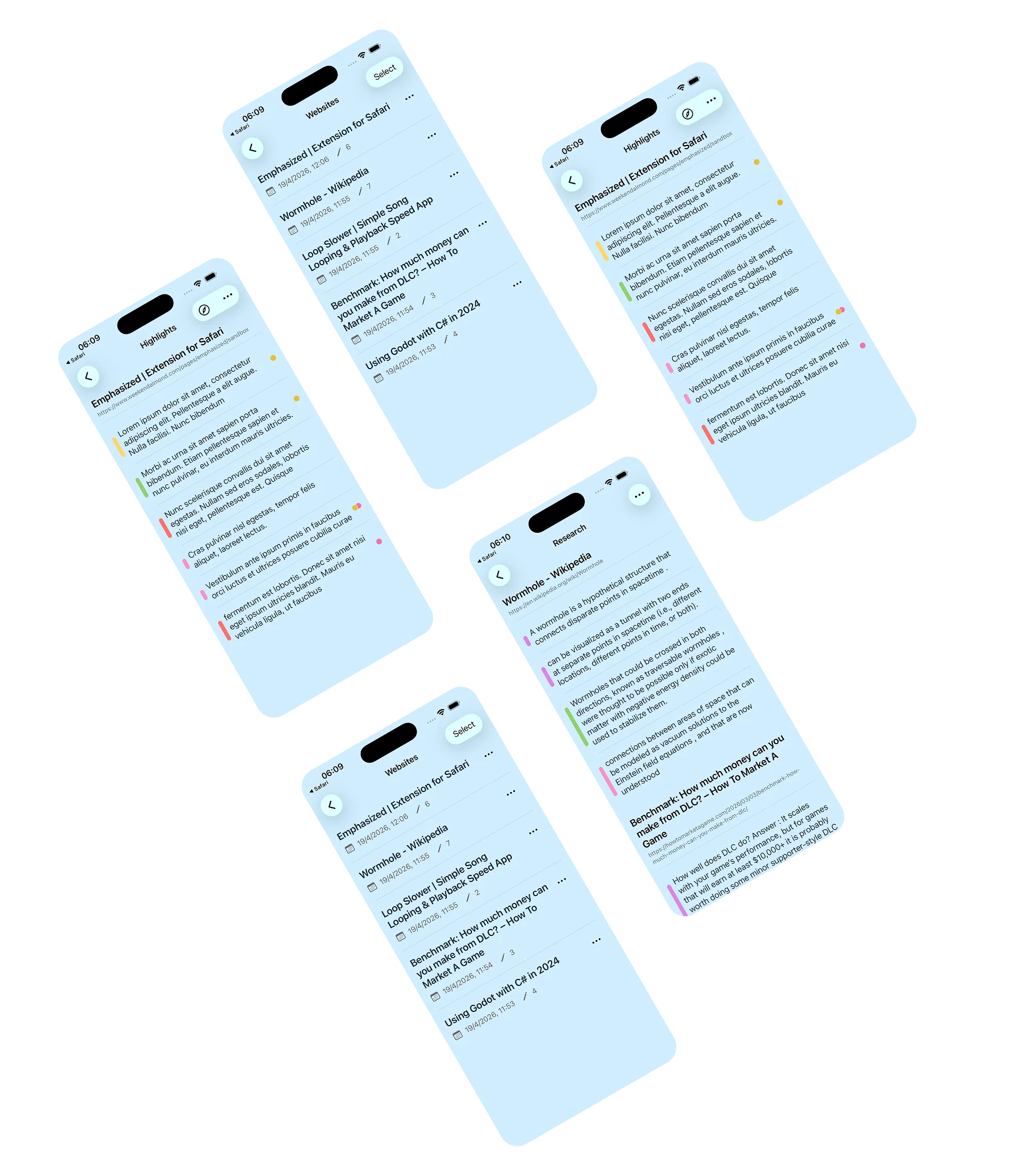
Effortlessly Manage and Export Your Highlights

Effortlessly Manage and Organize Your Highlights

Your highlights are neatly organized by webpage or tag for easy review.

The dedicated tag view brings together highlights across every website you've visited — making it easy to browse saved content and find related ideas at a glance.

Tags with custom colors

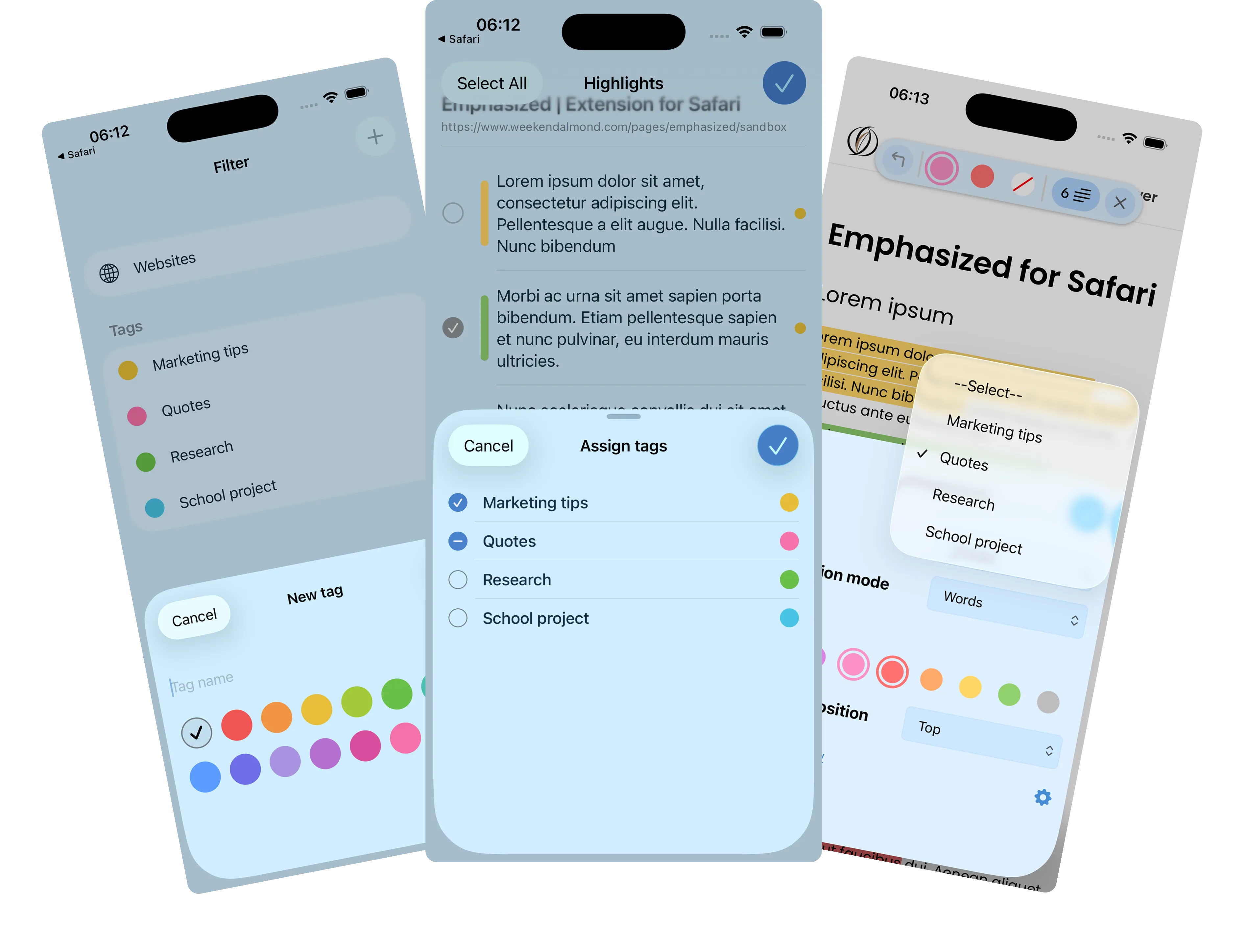
Tag Your Highlights

Create tags and assign them to any highlight to organize them to your liking.

Choose a tag while selecting text, so highlights are tagged instantly as you go — no extra steps needed.

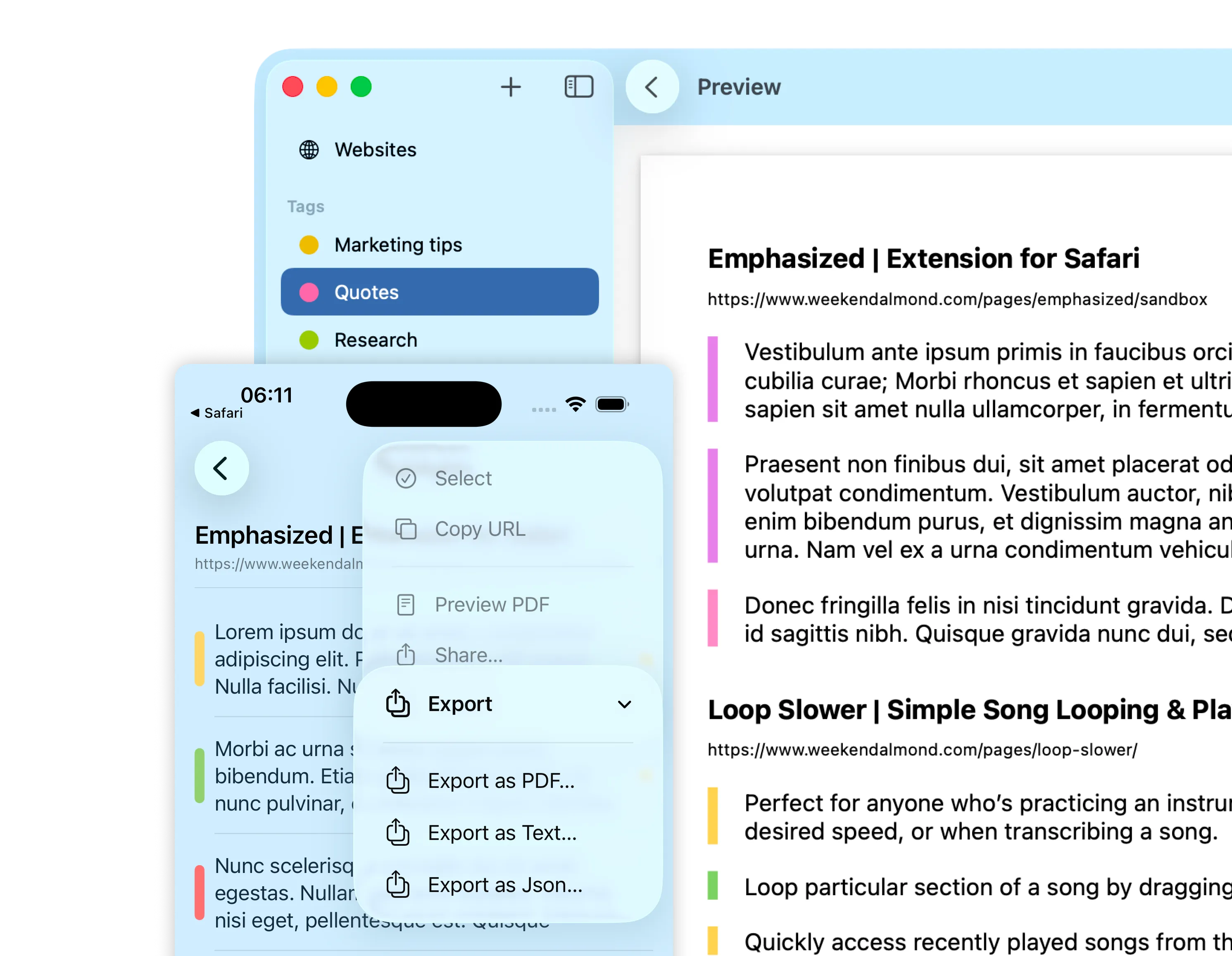
Export highlights in multiple formats

Export Your Way

Share and save your highlights however you prefer:

  • PDF — a clean, shareable document with source URLs.
  • Plain text — simple and portable.
  • JSON — great for power users and integrations.
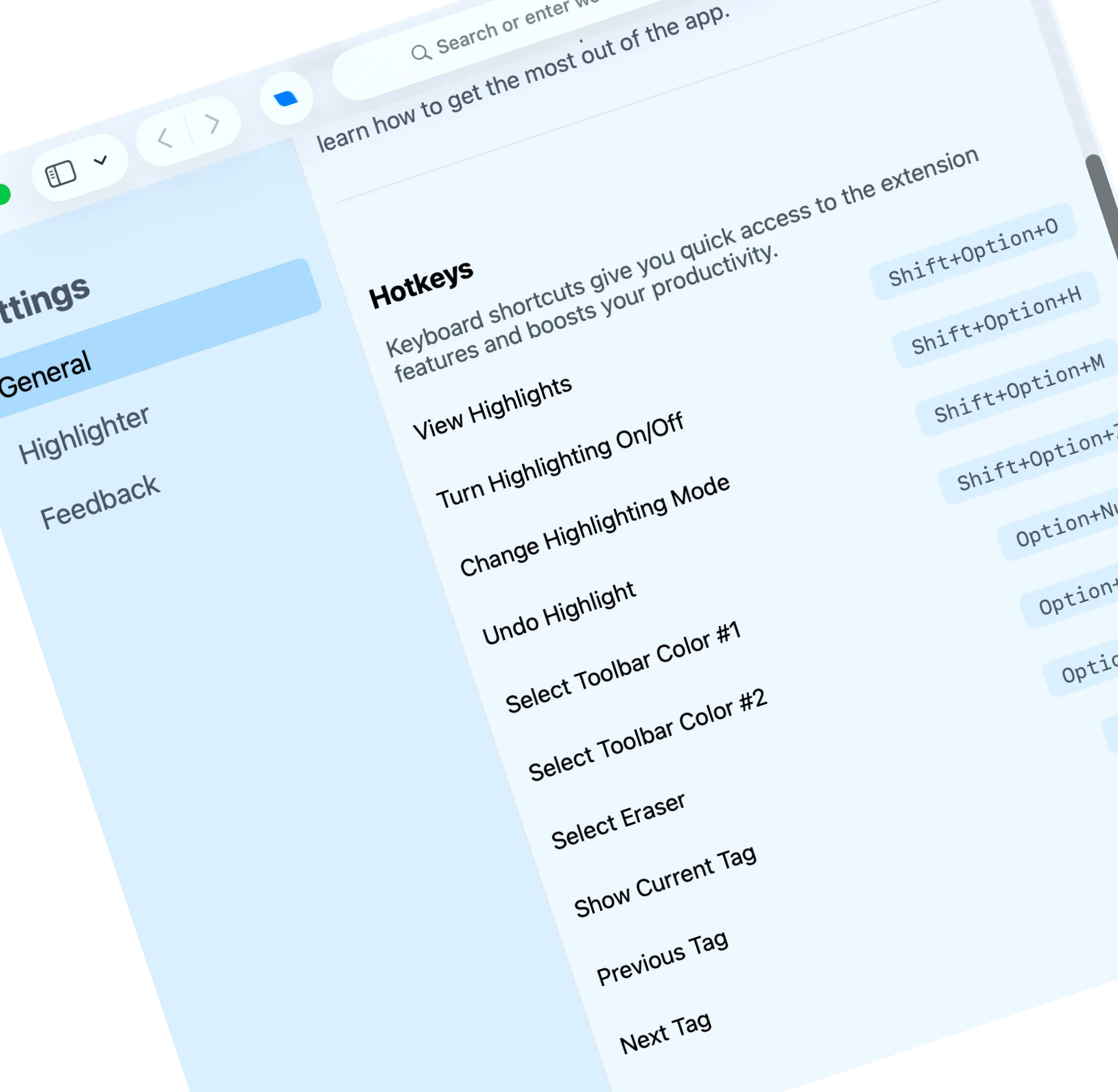
Keyboard shortcuts

Keyboard Shortcuts

Stay in flow with shortcuts for everything:

  • Toggle highlighting on and off.
  • Switch colors and use the eraser.
  • Undo your last highlight.
  • Switch between tags and preview the active tag without opening the toolbar.

Need help?

Looking for help or want to learn more? Explore our FAQ and knowledge base for quick answers and insights.

Get Help